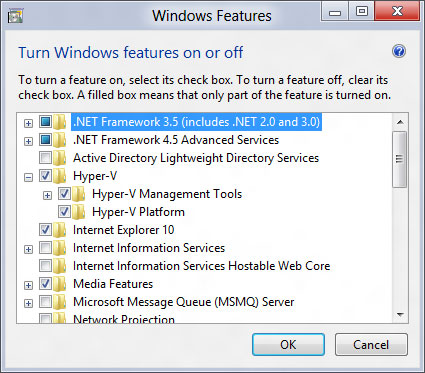
If I enable code virtualization check if will stop program running at Virtualbox which is good.
However, if I turned on the BIOS setting (enable virtualization support for Intel CPU), it also stop program running even I am just normally using my laptop (Thinkpad T520)
How (where) can I disable Hyper-V ?
In VMProtect, it only has two options regarding to Virtual machine (Yes / No).
I am also developing some applications for windows phone using Visual studio, it requires me to turn this setting (in bios) on otherwise the emulator will not work.